### a practical, step-by-step guide with real examples
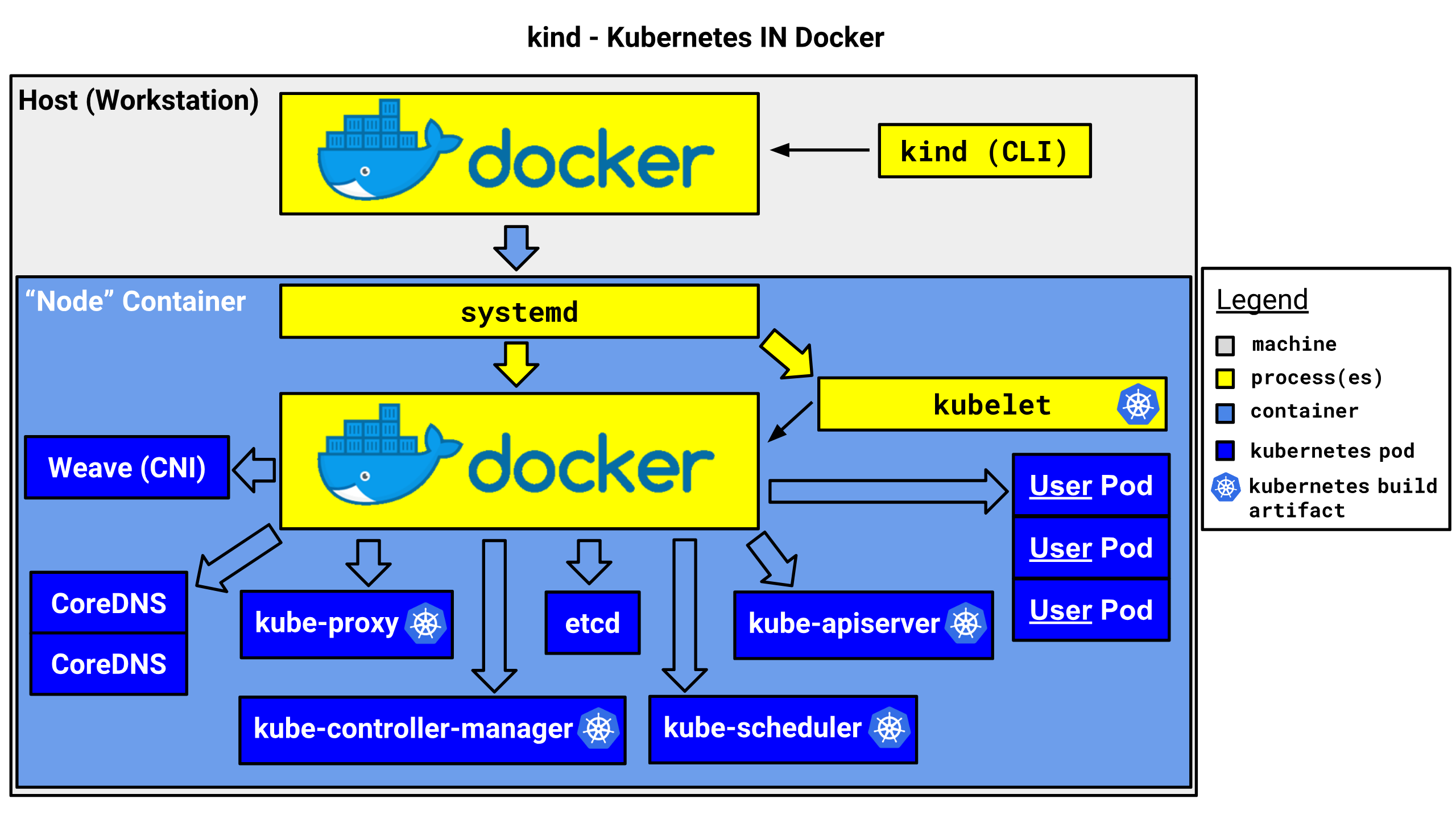
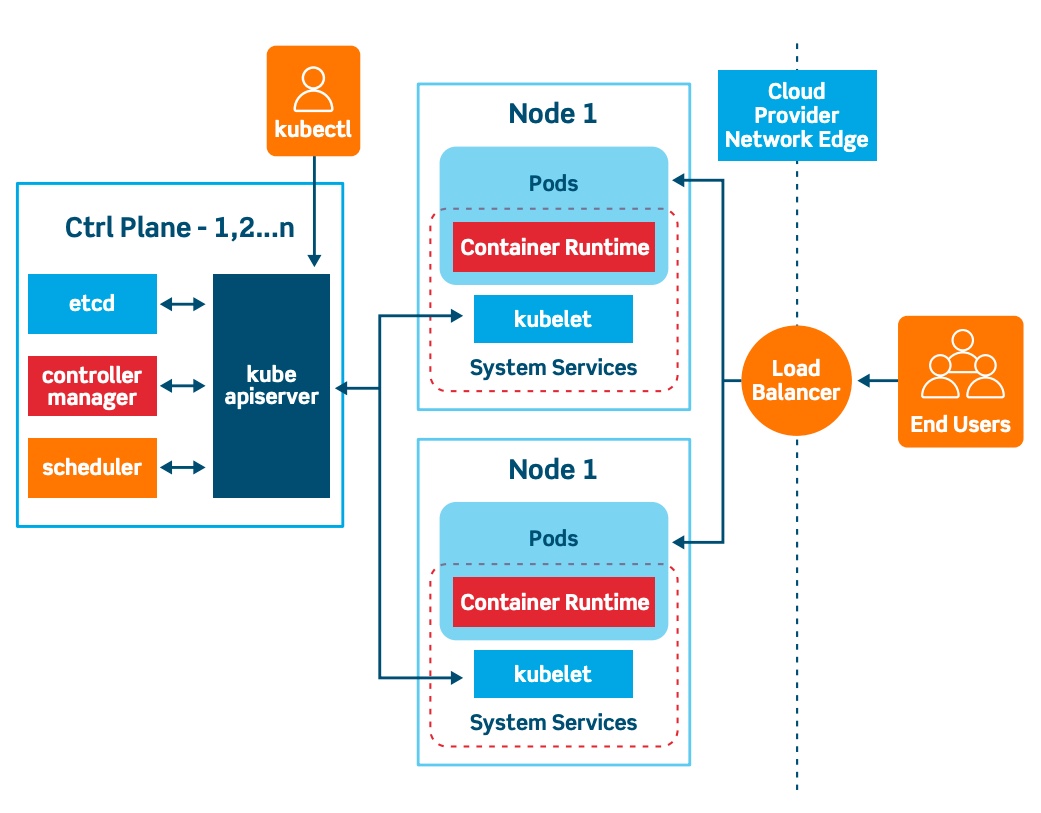
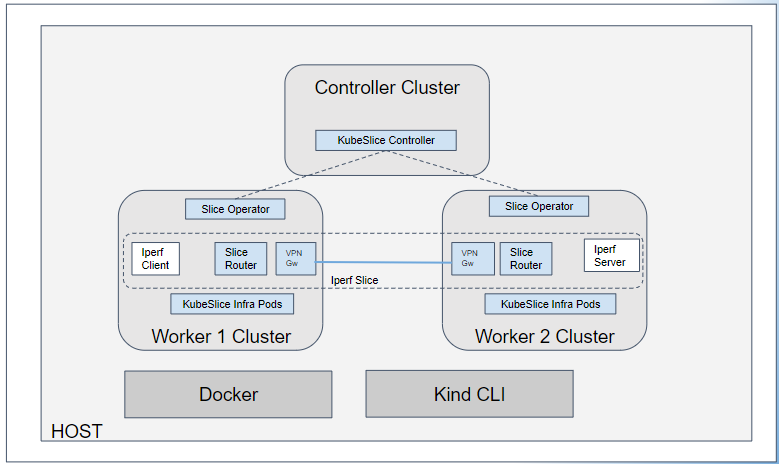

Kind (**Kubernetes IN Docker**) is one of the most practical tools for running Kubernetes locally. It is designed primarily for **development, testing, CI, and learning**, not for production. Kind runs Kubernetes nodes as Docker containers, giving you a fast, reproducible cluster that can be created and destroyed in seconds.
This article walks through **how Kind actually works**, how to set up a cluster, and how to configure it beyond the default “hello world” setup.
---
## What Kind really is
Kind does **not** emulate Kubernetes. It runs **real Kubernetes components** inside Docker containers:
- each node is a Docker container
- kubelet, kube-apiserver, controller-manager, scheduler are real
- networking is real (but container-based)
- CRI is `containerd`
From Kubernetes’ point of view, this is a normal cluster. The fact that nodes are containers is transparent to Kubernetes itself.
---
## Prerequisites
You only need two things installed locally:
- Docker (or compatible container runtime)
- Kind binary
Install Kind:
```groovy
curl -Lo ./kind https://kind.sigs.k8s.io/dl/v0.23.0/kind-linux-amd64
chmod +x kind
sudo mv kind /usr/local/bin/kind
```
Verify installation:
```bash
kind version
```
---
## Creating a basic Kind cluster
The simplest possible cluster:
```bash
kind create cluster
```
What happens under the hood:
- Docker network is created
- one control-plane container is started
- Kubernetes components are bootstrapped
- kubeconfig is merged into `~/.kube/config`
Verify:
```bash
kubectl cluster-info
kubectl get nodes
```
You now have a fully functional single-node Kubernetes cluster.
---
## Creating a multi-node Kind cluster
Most real scenarios require **more than one node**. Kind supports this through a configuration file.
### Cluster configuration file
```yaml
kind: Cluster
apiVersion: kind.x-k8s.io/v1alpha4
nodes:
- role: control-plane
- role: worker
- role: worker
```
Create the cluster:
```bash
kind create cluster --name dev --config kind-config.yaml
```
Verify:
```bash
kubectl get nodes
```
You should see one control-plane node and two worker nodes.
---
## Exposing services (NodePort and Ingress)
Kind does not expose services to the host automatically. You need to configure this explicitly.
### Exposing NodePort via extra port mappings
```yaml
kind: Cluster
apiVersion: kind.x-k8s.io/v1alpha4
nodes:
- role: control-plane
extraPortMappings:
- containerPort: 30080
hostPort: 8080
protocol: TCP
```
Create cluster:
```bash
kind create cluster --config kind-config.yaml
```
Now a Kubernetes service on NodePort `30080` is available on `localhost:8080`.
---
## Installing an Ingress controller (NGINX)
Ingress is not installed by default.
```bash
kubectl apply -f https://raw.githubusercontent.com/kubernetes/ingress-nginx/main/deploy/static/provider/kind/deploy.yaml
```
Wait until ready:
```bash
kubectl get pods -n ingress-nginx
```
Ingress now works exactly like in a real cluster.
---
## Loading local Docker images into Kind
One of Kind’s biggest advantages is local image loading.
Build an image locally:
```bash
docker build -t myapp:dev .
```
Load it into the cluster:
```bash
kind load docker-image myapp:dev --name dev
```
Now Kubernetes can use `myapp:dev` **without pushing to a registry**.
---
## Using local storage in Kind
Kind includes a default `standard` StorageClass using hostPath inside node containers.
Check it:
```bash
kubectl get storageclass
```
Create a PVC:
```yaml
apiVersion: v1
kind: PersistentVolumeClaim
metadata:
name: data
spec:
accessModes:
- ReadWriteOnce
resources:
requests:
storage: 1Gi
```
This behaves similarly to local-path storage and is suitable for development and testing.
---
## Networking considerations
Kind networking is container-based:
- nodes communicate over a Docker bridge network
- Pod CIDR and Service CIDR are fully functional
- LoadBalancer services require addons (MetalLB or port mappings)
For most development use cases, **no special networking setup is needed**.
---
## Common use cases for Kind
Kind is especially good for:
- local Kubernetes development
- testing Helm charts
- testing Operators and CRDs
- CI pipelines (GitHub Actions, GitLab CI)
- reproducing production issues locally
- learning Kubernetes internals
It is **not** intended for:
- production workloads
- performance benchmarking
- long-lived clusters
---
## Cleaning up
Delete the cluster completely:
```bash
kind delete cluster --name dev
```
Everything is removed:
- containers
- networks
- kubeconfig entries
---
## Final takeaway
Kind is one of the fastest ways to get a **real Kubernetes cluster** running locally. It is simple enough for beginners and powerful enough for advanced testing scenarios. With multi-node support, ingress, local images, and storage, Kind can replicate most real-world Kubernetes workflows — without cloud costs or complex setup.