`kubectl config set-context` is a fundamental command for anyone working with Kubernetes. Before we look in to kubectl context command, lets first understand what is a context.
## What is Kubectl Context?
When you work on Kubernetes projects, you will have to work with multiple [kubernetes clusters](https://devopscube.com/setup-kubernetes-cluster-kubeadm/) at a time in your workstation.
It could be clusters that are part of the same environments or different environments.
So what is a context?
A context is a set of parameters (cluster, namespace, user) present in the [kubeconfig file](https://devopscube.com/kubernetes-kubeconfig-file/) that are required to connect to a kubernetes cluster. A single kubeconfig file can contain more than one context.
Here is an example context block from `kubeconfig` file with three cluster contexts.
```yaml
contexts:
- context:
cluster: dev-cluster
user: dev-user
name: dev
- context:
cluster: stage-cluster
user: stage-user
name: stage
- context:
cluster: prod-cluster
user: prod-user
name: prod
current-context: dev
```
By defining or using contexts, you can easily switch between different clusters (e.g., development, staging, production) or different users with varying permissions on the same cluster, or even different default namespaces for your operations.
Here is where **`kubectl config set context`** command comes in handy.
Now that we have understood what a context is, let's look at different practical examples to understand kubectl set context in detail.
## What is kubectl config set context ?
**`Kubectl set context`** command is used to modify an existing context in your kubeconfig file or create a new one if it doesn't exist.
The basic syntax is:
```bash
kubectl config set-context [CONTEXT_NAME] [flags]
```
Common flags include:
- `--cluster`: Specify which cluster the context refers to
- `--user`: Specify which user credentials to use
- `--namespace`: Set the default namespace for this context
You can learn all the supported flags using help command.
```bash
kubectl config set-context --help
```
## Creating a Context Using kubectl set-context command
We will look at the kubectl set-context command usage with a real-world devops example workflow.
Lets say you are working in a DevOps team and the cluster administrators gave you the following.
1. Cluster endpoint URL (e.g., `https://k8s-prod-cluster.company.com:6443`)
2. CA certificate (typically a file like `cluster-ca.crt`)
### 1. Create the Cluster Entry
First, we'll configure the cluster entry using the provided endpoint and CA certificate.
```bash
$ kubectl config set-cluster prod-cluster \
--server=https://k8s-prod-cluster.company.com:6443 \
--certificate-authority=/path/to/cluster-ca.crt
Cluster "prod-cluster" set.
```
💡
If you received the CA certificate as a file, make sure to specify the correct path. If you received it as a base64-encoded string, you might need to decode it first and save it to a file.
### 2. Set Up User Credentials
Next, you'll need authentication credentials. The administrators might provide these in several ways:
If you received a client certificate and key:
```bash
kubectl config set-credentials prod-devops-user \
--client-certificate=/path/to/user.crt \
--client-key=/path/to/user.key
```
If you need to use a token:
```bash
kubectl config set-credentials prod-devops-user \
--token=<TOKEN-HERE>
```
If using [OIDC authentication](https://devopscube.com/github-actions-oidc-aws/) (common in enterprise environments):
```bash
kubectl config set-credentials prod-devops-user \
--auth-provider=oidc \
--auth-provider-arg=idp-issuer-url=https://oidc.company.com \
--auth-provider-arg=client-id=kubernetes \
--auth-provider-arg=refresh-token=refresh-token-value
```
### 3. Create the Context
Now, create a context that links the cluster with your user credentials:
```bash
kubectl config set-context prod-devops \
--cluster=prod-cluster \
--user=prod-devops-user \
--namespace=devops
Context "prod-devops" created.
```
### 4. Set this as your current context
You can set the newly created context as you current active context using the following command.
```bash
$ kubectl config use-context prod-devops
Switched to context "prod-devops".
```
### 5. Verify Cluster Connection
Verify the cluster connection using,
```bash
kubectl get nodes
kubectl get pods
```
## Creating a context for a specific namespace
By default, all the commands get executed in the default namespace if you don't specify a namespace with the **`-n`** flag. You can change that behavior by setting the current namespace using the **`set-context`** command.
For example, if you want to set **`kube-system`** as your default namespace, you can use the following command systax.
```bash
kubectl config set-context --current --namespace [namespace-name]
```
For example,
```bash
kubectl config set-context --current --namespace kube-system
```
Once you set the current namespace, you don't have to use the **`-n`** flag with the kubectl command. All the kubectl command gets executed in the current namespace set by the set-context command.
## Managing Your Contexts
Once you've set up your contexts, you'll use these related commands frequentl
### 1. Listing Cluster Contexts
You can view all the contexts and its configuration using the following `kubectl` command
```bash
kubectl config get-contexts
```
To list all the available contexts names, you can use the following kubectl command. The **`-o=name`** flag lists only the context names.
```bash
kubectl config get-contexts -o=name
```
You will get the list of contexts as shown below.
```bash
arn:aws:eks:us-west-2:814200988517:cluster/custom-cluster
do-sfo3-k8s-1-28-2-do-0-sfo3-1699501871578
kubernetes-admin@kubernetes
kubernetes-the-hard-way
```
### 2. Get the Current Context
You can get the current context using the following comand. It will list the name of the currently active context.
```bash
kubectl config current-context
```
### 3. Switch Context
**`kubectl config use context`** command is primarily used to switch to a different cluster context.
Here is the syntax to set the current context.
```bash
kubectl config use-context <CONTEXT_NAME>
```
For example, here is the list of contexts available in my Kubeconfig file.
```bash
$ kubectl config get-contexts -o=name
arn:aws:eks:us-west-2:814200988517:cluster/custom-cluster
do-sfo3-k8s-1-28-2-do-0-sfo3-1699501871578
kubernetes-admin@kubernetes
kubernetes-the-hard-way
```
Here is an example to switch the content.
```bash
kubectl config use-context kubernetes-admin@kubernetes
```
When you use a new context, the value is also set in the Kubeconfig file. You can find a parameter called **current-context:** in the Kubeconfig file.
### 3. Renaming Kubectl contexts
You can also rename a context using the `rename-context` command.
For example, lets say you have a context named `dev-cluster` and want it to be renamed to `dev01`. Here is how the command looks.
```bash
$ kubectl config rename-context dev-cluster dev01
Context "kind-dev-cluster" renamed to "kind-dev01".
```
### 4. Delete a context
You can delete the context created by kubectl using the delete-context command.
Here is the command syntax.
```bash
kubectl config delete-context [context-name]
```
For example,
```bash
kubectl config delete-context stage-k8s-cluster
```
⚠️
Delete context only deletes the context section, not the related cluster or user entries in the `~/.kube/config` file.
## Setting Kubectl Alias for Contexts
If you regularly switch between contexts to work on different clusters, you can create an alias to list and set the context.
Here is the alias to list the contexts.
```bash
alias klist='kubectl config get-contexts -o=name'
```
You can add the following line to your `.bashrc` or `.zshrc` file, depending on the shell you use:
Create the following alias to set the context with a custom namespace.
```bash
kset() {
local context="$1"
local namespace="$2"
kubectl config use-context "$context" --namespace "$namespace"
}
```
Here is how the aliases look in your **`bashrc`** or **`zshrc`** file.
```bash
alias k=kubectl
alias klist='kubectl config get-contexts -o=name'
kset() {
local context="$1"
local namespace="$2"
kubectl config use-context "$context" --namespace "$namespace"
}
kdel() {
kubectl config delete-context "$1"
}
```
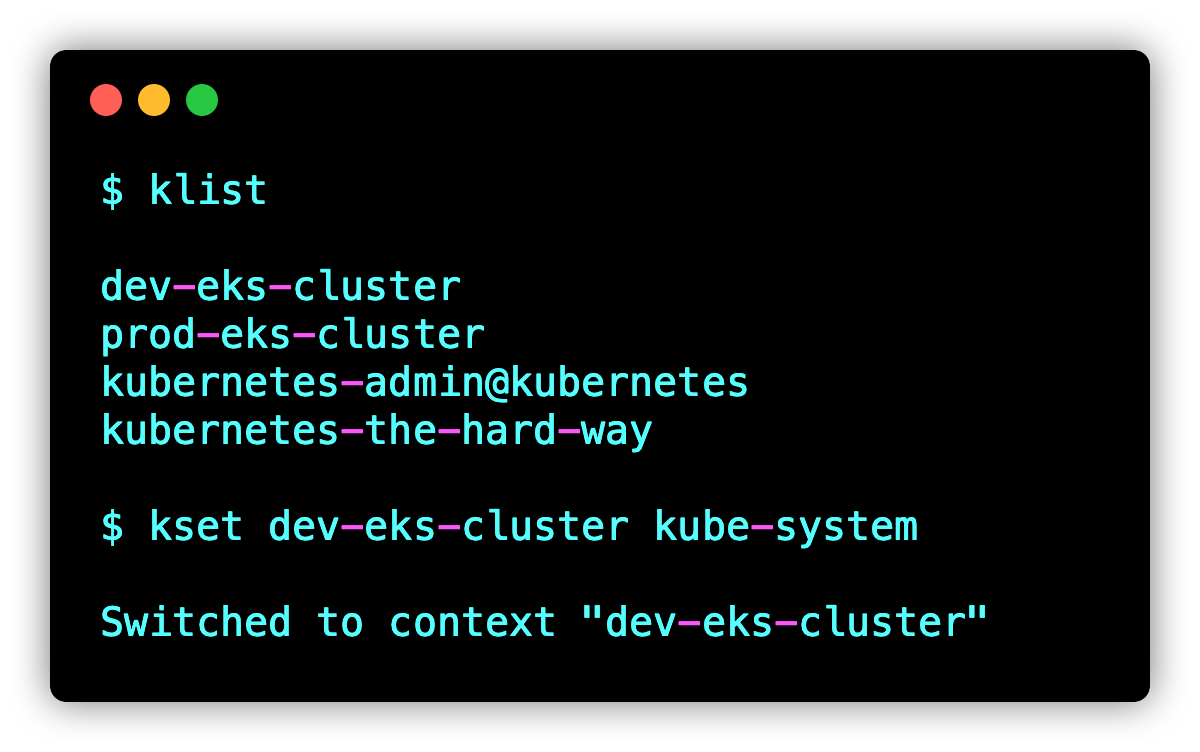
Here is how you can use these aliases
1. List the contexts with **klist** command.
2. Set the context and namespace using the **kset** command
Here is the example.
[](https://devopscube.com/content/images/2025/03/image-186-3.png)
## Set Context FAQ's
### How to set current context in kubectl?
You can use the **kubectl config use-context** command with the context name to set the current context.
For example, **`kubectl config use-context dev-cluster`**
Where **dev-cluster** is the context name.
### How do I set context in Kubernetes for specific namespace?
You can use the **`--namespace`** flag with the kubectl config use-context command to set a current namespace in context.
### What is the difference between kubectl set and kubectl use context?
The set-context parameters modify the cluster context or create a new one if not present. The use context parameter is used to switch to a different context.